Tool

Frame Maker — GUI frame generation workflow

A purpose-built ComfyUI workflow that generates game-ready ornamental UI frames in coherent style families — used in production and distributed team-wide with an install guide.

ComfyUI graph behind every frame style
1
style families on the demo sheet — flame, gold, ice, crystal
4
used on in-game character icons
shipped
distributed to colleagues with an install guide
team-wide

Problem it solves

Game UI work eats ornamental frames: rarity tiers, event skins, character icon borders — the same shape language repeated across dozens of variants. Hand-painting every variant is slow, and keeping a frame family coherent across a live game’s updates is exactly the kind of repetitive-but-exacting work a directed pipeline is good at.

What it is

A GUI-dedicated frame-generation workflow built in ComfyUI: it produces ornamental border frames with clean open centers, ready to drop over in-game icons — and it holds a style family together, so a flame-tier frame and its siblings read as one set.
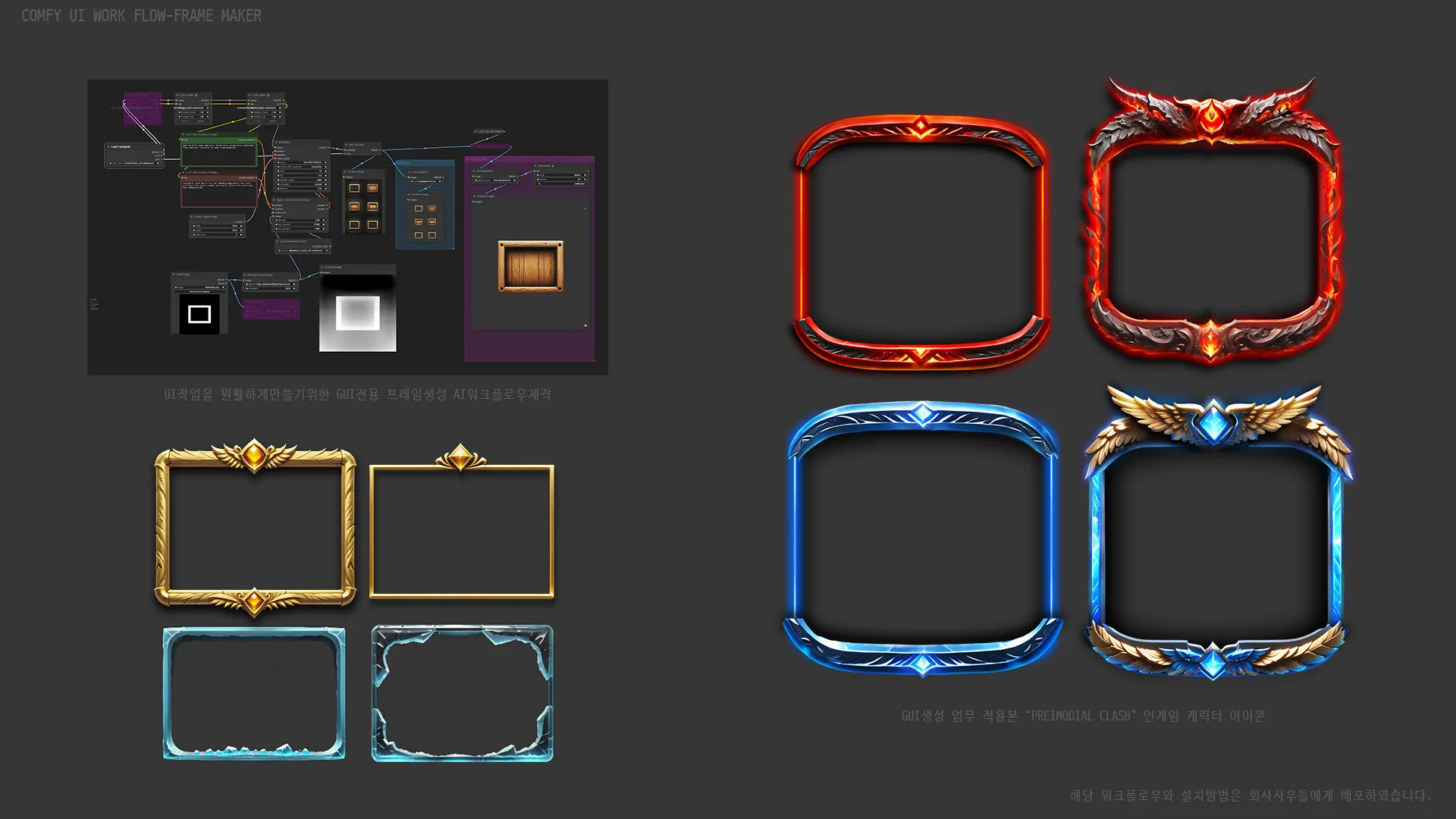
Frame Maker — workflow graph and generated frame families

The demo sheet above shows the graph and four generated families — flame, gold, ice and crystal — all from the same workflow with different style directions.

In production

This wasn’t a lab toy. The workflow was applied to real GUI production — in-game character icon frames for Primordial Clash — and then packaged with an installation guide and distributed to studio colleagues, turning a personal speed-up into team tooling.

Why it’s here

Frame Maker predates most of this site’s pipeline work, and it set the pattern the rest follows: identify a repetitive art task, build a directed workflow for it, prove it in production, then hand it to the team.