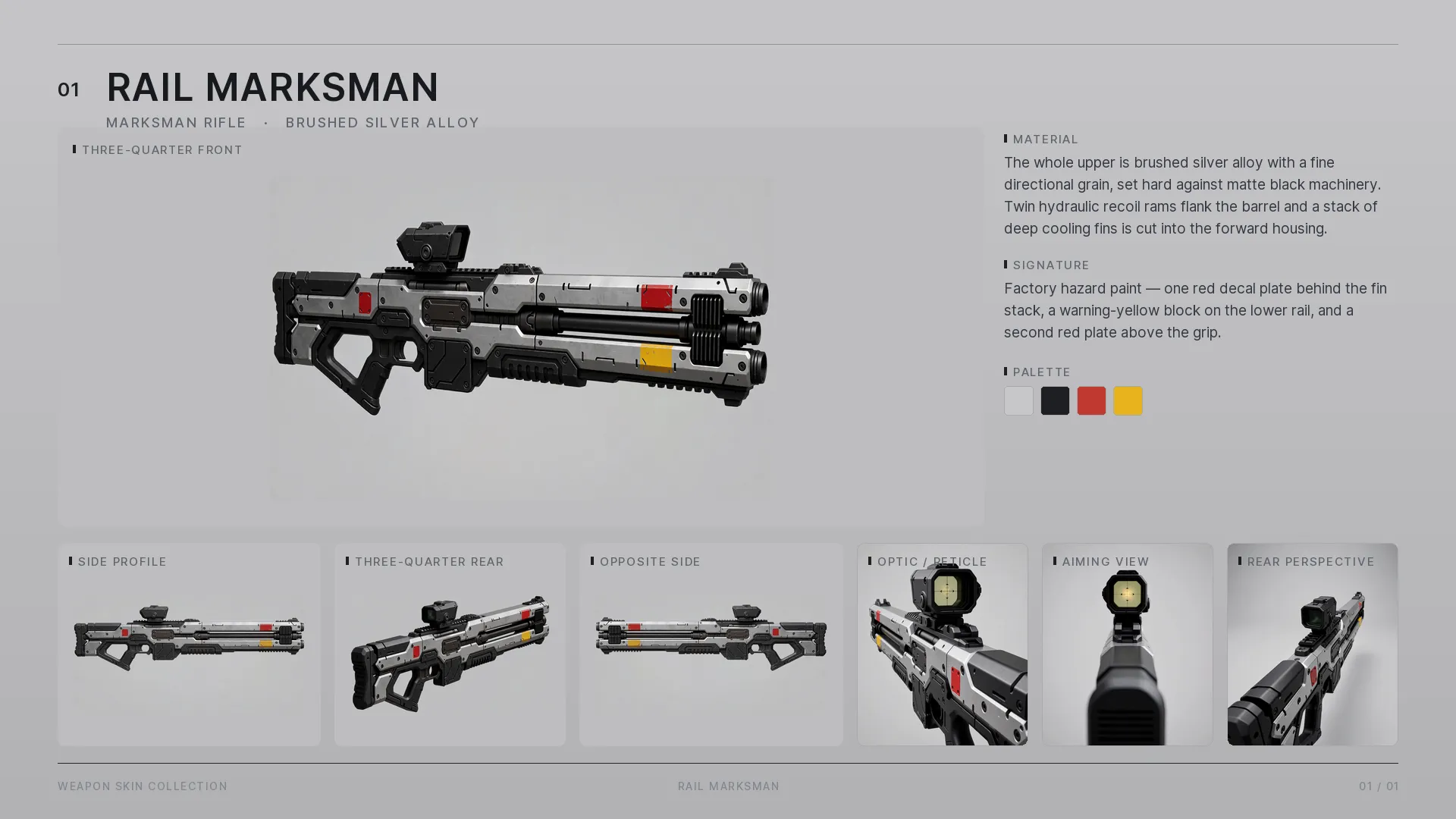
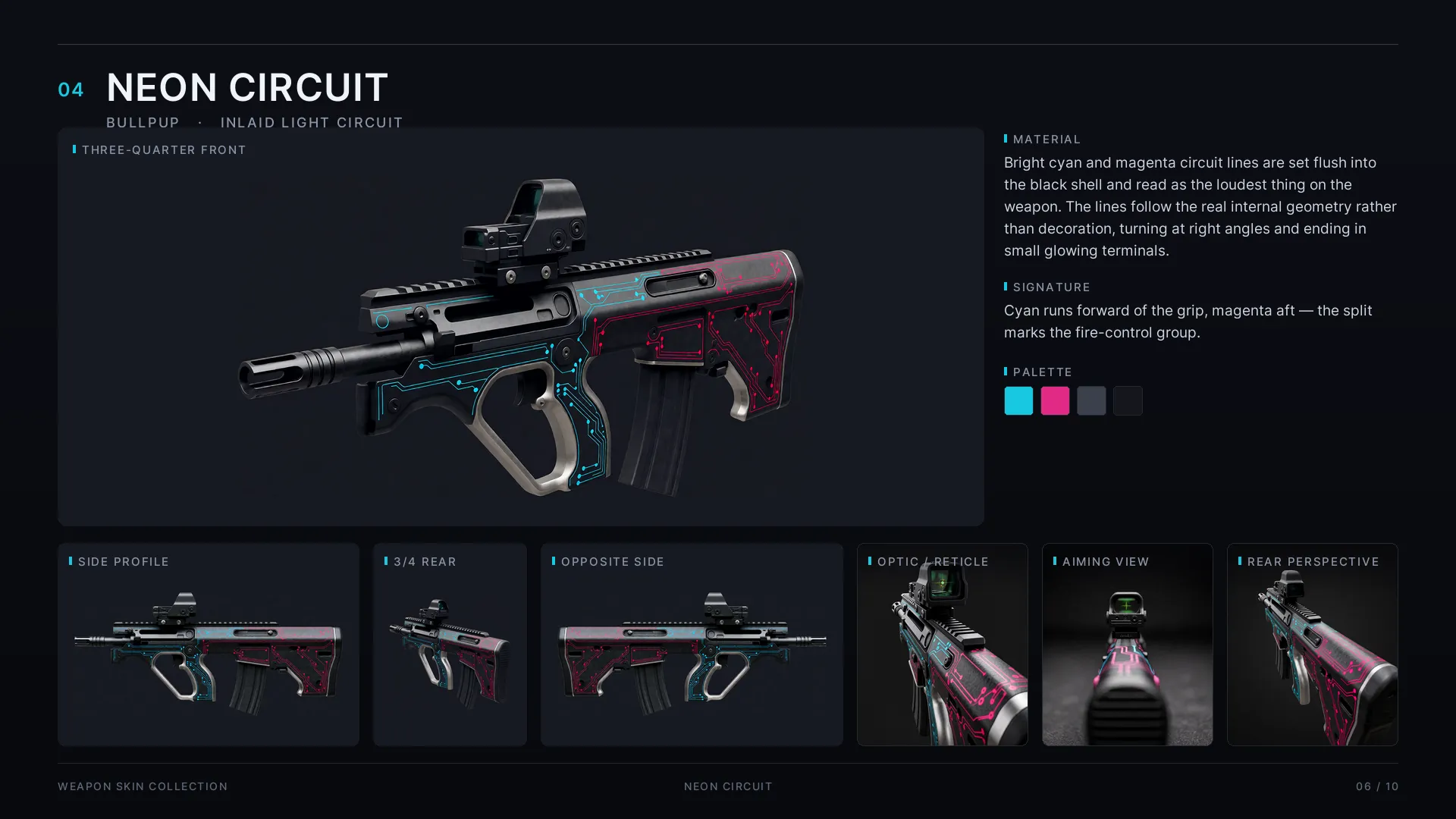
One image in — that is the whole workflow
You give the graph exactly one image: a side view of the weapon. That is the entire
input. One queue later you have the side profile, 3/4 front and rear, the opposite
side, an optic close-up, the aim-down-sights shot — and the assembled product sheet.
Same gun, same materials, same markings, across every camera, with no per-view
prompting and no cleanup between angles.
One dial
Rotation is powered by a dedicated identity-preserving edit node: it anchors the weapon’s
design while the camera moves — this is what makes true multi-view rotation possible at
all. On top of it, a single reference-strength dial selects the operation:
| strength | operation |
|---|
| low | rotate to a new angle |
| mid | edit parts — mount an optic, clean up effects |
| high | lock a finished view |
Per-part colour blocking keeps an entire skin set consistent through every rotation.
Per-view camera scripts
Every view carries its own script: its camera position, its perspective, and its own
list of exactly the parts that camera sees. The aim-down-sights view describes the
stock and a mirror-symmetric frame; the product views describe the full silhouette.
Each view renders precisely what it should — nothing leaks between cameras.
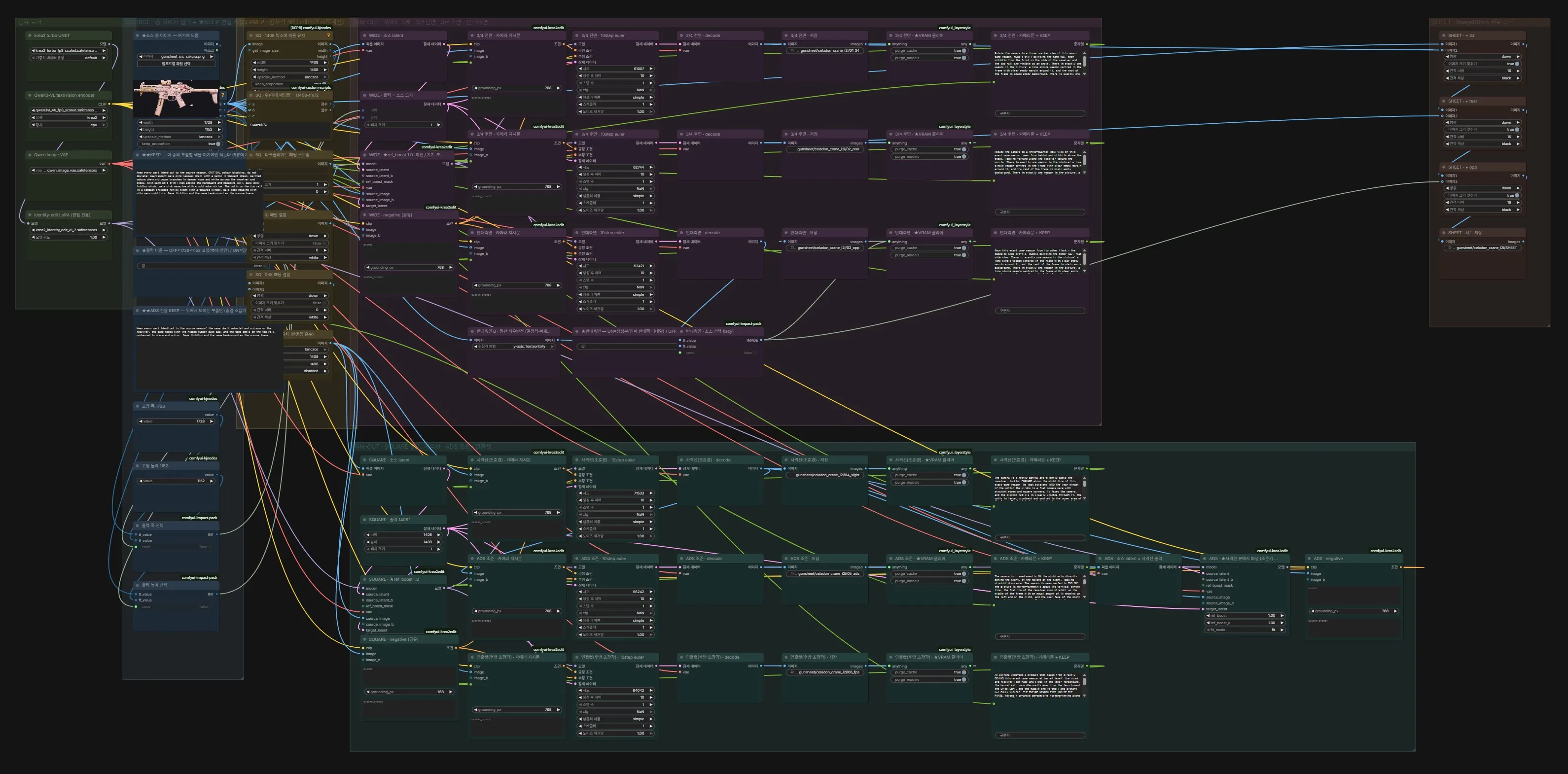
The graph
One fan-out graph: drop in any weapon image and it is encoded once, branched into every
view, and stitched into the sheet at the end. Each view chains from the geometrically
closest source image, so identity carries in pixels, not just words.
Result
Nine skins × up to seven views, assembled into a 10-page deck — published as
Gunmaker Test in the ART section. Everything ran locally with no style LoRA —
and not a single paid node or API call.