Character Concept · Semi-realistic · Military · AI Lab
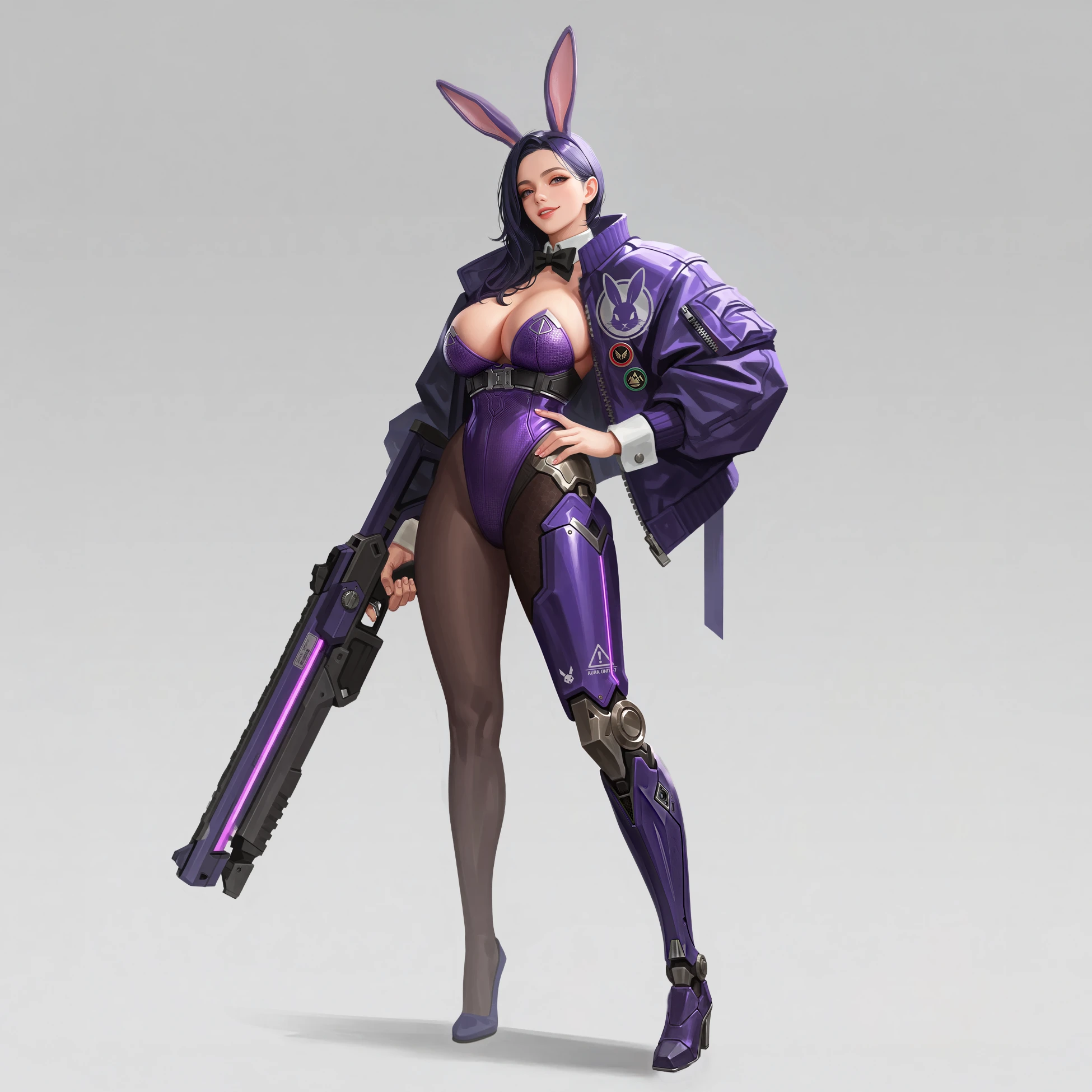
Shooter Bunny — Amethyst · Key Art & Sheets
Stack
- Role
- Concept direction, generation, turnaround & weapon sheet direction, composite
- Base model
- Krea 2 (open-weights)
- Tools
- ComfyUI, self-trained style LoRA on Krea 2, directed generation; parts-table turnaround pipeline; per-zone detail regeneration; Photoshop composite
- Year
- 2026
Process
One machine leg sets the silhouette
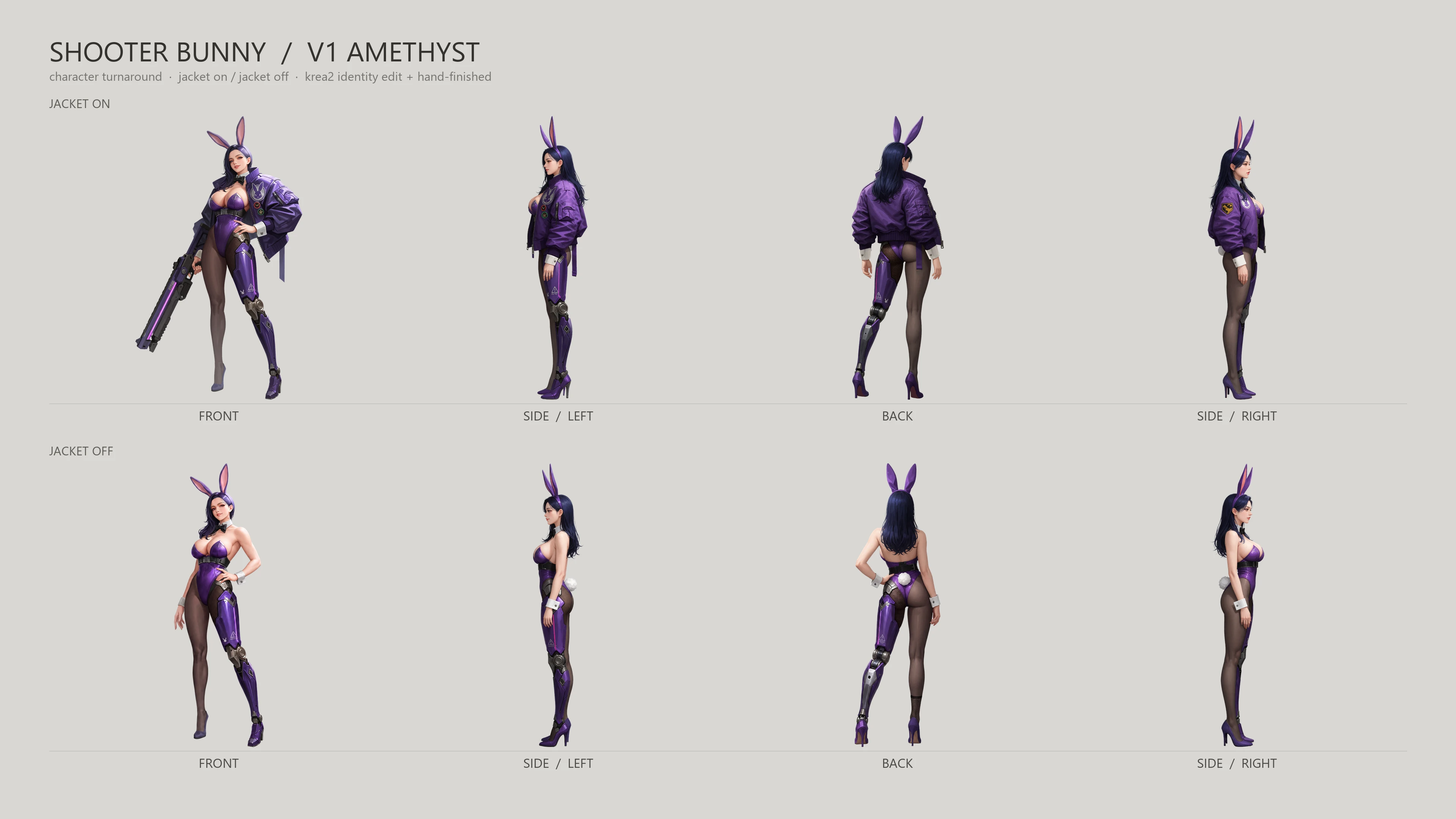
The kit stays classic bunny — ears, collar, cuffs, bow tie — and everything tactical is spent on two loud elements: a full prosthetic left leg and an oversized bomber jacket worn fully open on both arms. The leg carries the ornament budget, so the rest of the body can stay plain satin and hosiery and the silhouette still reads at thumbnail size.
Sheets built from a parts table
The turnaround is not prompted freehand. Every component — jacket, harness, prosthetic segments — lives in a parts table as color + position + dimension, and each view’s sentences are assembled from it. That is what keeps an asymmetric design honest across views: the left and right profiles are generated from different part lists, and the rear view swaps them.
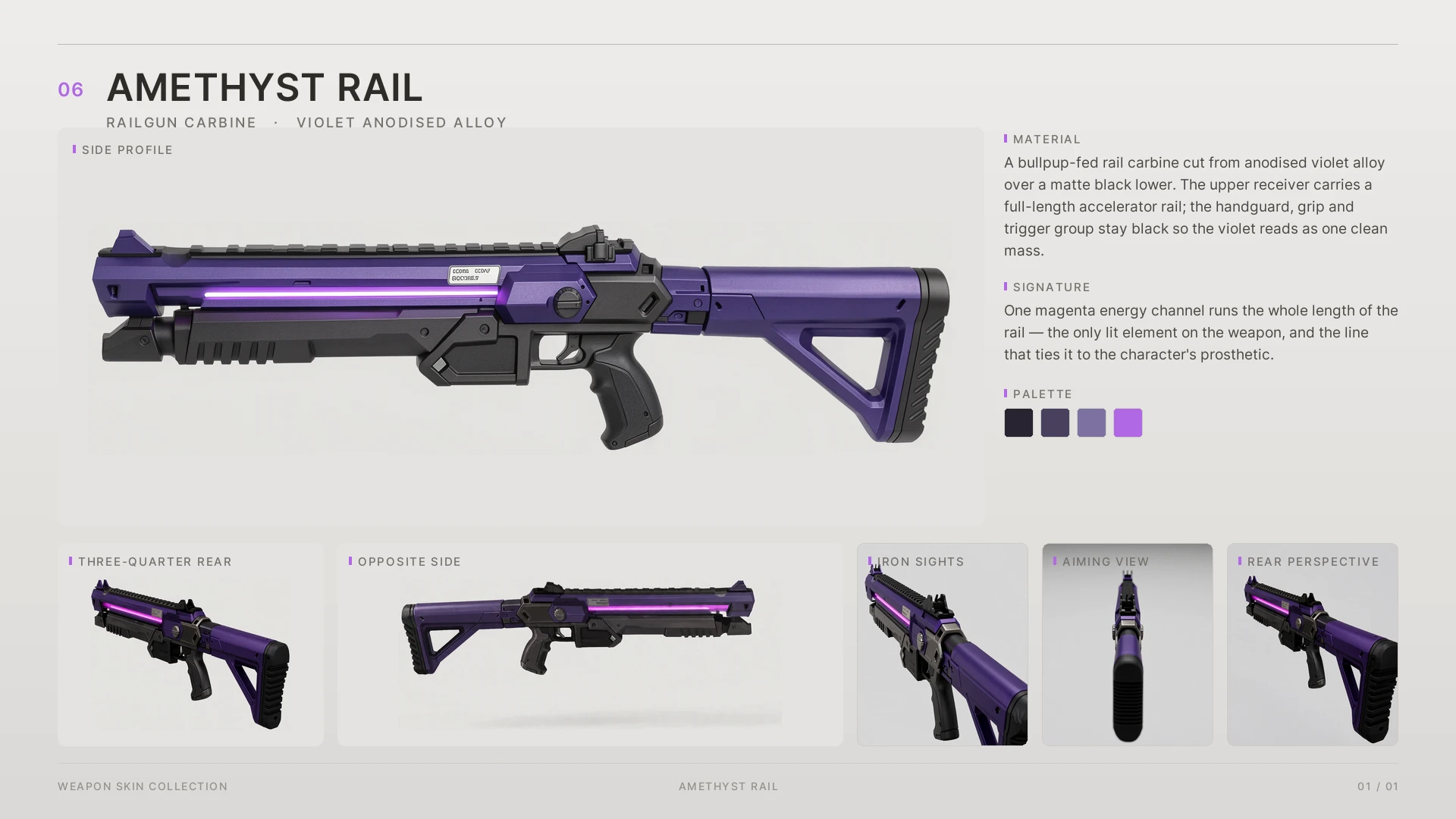
The coil rifle got its own sheet. It was isolated from the key art in a single pass, rebuilt as an orthographic side plate, then rotated through six views — with the named parts list pinning the stock and rails so nothing drifts between angles. A final pass renders the bare upper rail with iron sights for the optics-off configuration.
From the AI Lab
Case Study Charmaker: key art in, character sheet out Drop in a single front-facing key art — one queue returns the turnaround views and the sheet. Parts-table prompts, chained rotations, switchable extra angles, hard QA gates. Zero paid calls. ▾
One image in — that is the whole workflow
You give the pipeline exactly one front-facing character illustration. That is the entire input. One queue later you have the left profile, the back, the right profile, up to two further rotations, and a stitched contact sheet — same costume, same proportions, same palette, across every camera. No per-view prompting, no manual rotation, no cleanup between angles: the finished deck below was produced from the single image loaded in the top-left node.
The one-queue graph
Everything runs as a single fan-out graph on the same identity-preserving edit engine as the Gunmaker, ported from hardsurface to the human figure. The models load once and feed every branch. Each view renders, purges its VRAM, and saves — then the strip assembles itself at the end.
Two details make it production-grade rather than a demo:
- Chained rotation. Each camera turns from the geometrically closest finished view, never more than a quarter turn per step — the back view starts from the freshly rendered profile, not from the front. Smaller steps, fewer errors.
- Spare rotation ports. Three fixed views are sometimes not enough for a stubborn angle, so two extra rotation stages sit behind on/off switches. Off, they cost nothing — the graph skips them entirely. On, they continue the turn from the last finished view, up to five rotations from one source image.
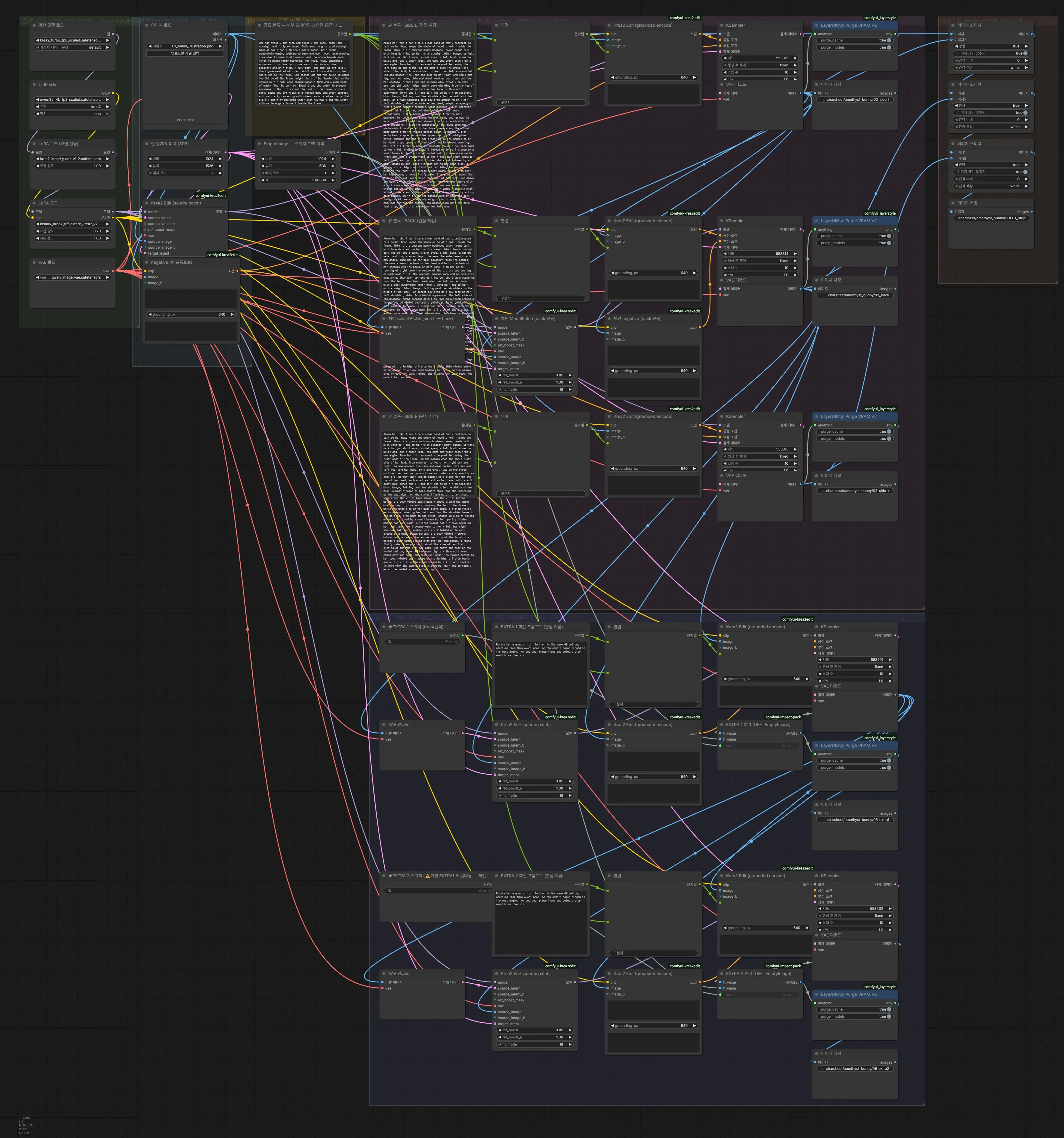
The parts table
Views are not prompted freehand. Every component of the design — jacket, harness, prosthetic segments — lives in one table as color + position + size, tagged with which side of the body it sits on, which plane it faces, and what it covers. Each view’s sentences are assembled from that table by rule and wired into editable text nodes on the canvas, so a tweak never means rebuilding the graph.
That structure is what keeps a deliberately asymmetric design honest: left and right profiles are generated from different part lists, a garment that covers other parts automatically suppresses them in the views it covers, and small front-facing plates are dropped from angles where perspective would crush them anyway.
View geometry is a contract
A camera definition can quietly contradict itself — and when it does, the symptom looks like a missing part, not a wrong camera. So the pipeline treats view geometry as a checked contract: a left profile means the figure faces screen-left, and a rear view means left and right swap on screen. Instead of trusting automated symmetry metrics, each run ends with a per-view QA checklist for exactly these checks — the judgment stays with the artist.
Assembly is not concatenation
Views that come out of the same pipeline still differ: background tones drift, figure heights vary, and cast shadows cling to the feet. Final assembly extracts each figure with a learned matting model — Photoshop’s background removal, driven automatically over a local bridge — normalizes everyone to a common figure height on a shared baseline, and refuses to build if any two cells contain effectively the same image. Cutouts older than their source view are invalidated automatically, so a re-rendered view can never ship with a stale silhouette.
Guarded hand-off
Every finished batch registers itself into the studio archive with its full prompt — no manual bookkeeping. The hand-off is gated twice: filenames must be unique across the batch, and the archive row count is compared against the files on disk. Silent overwrites don’t pass.
Result
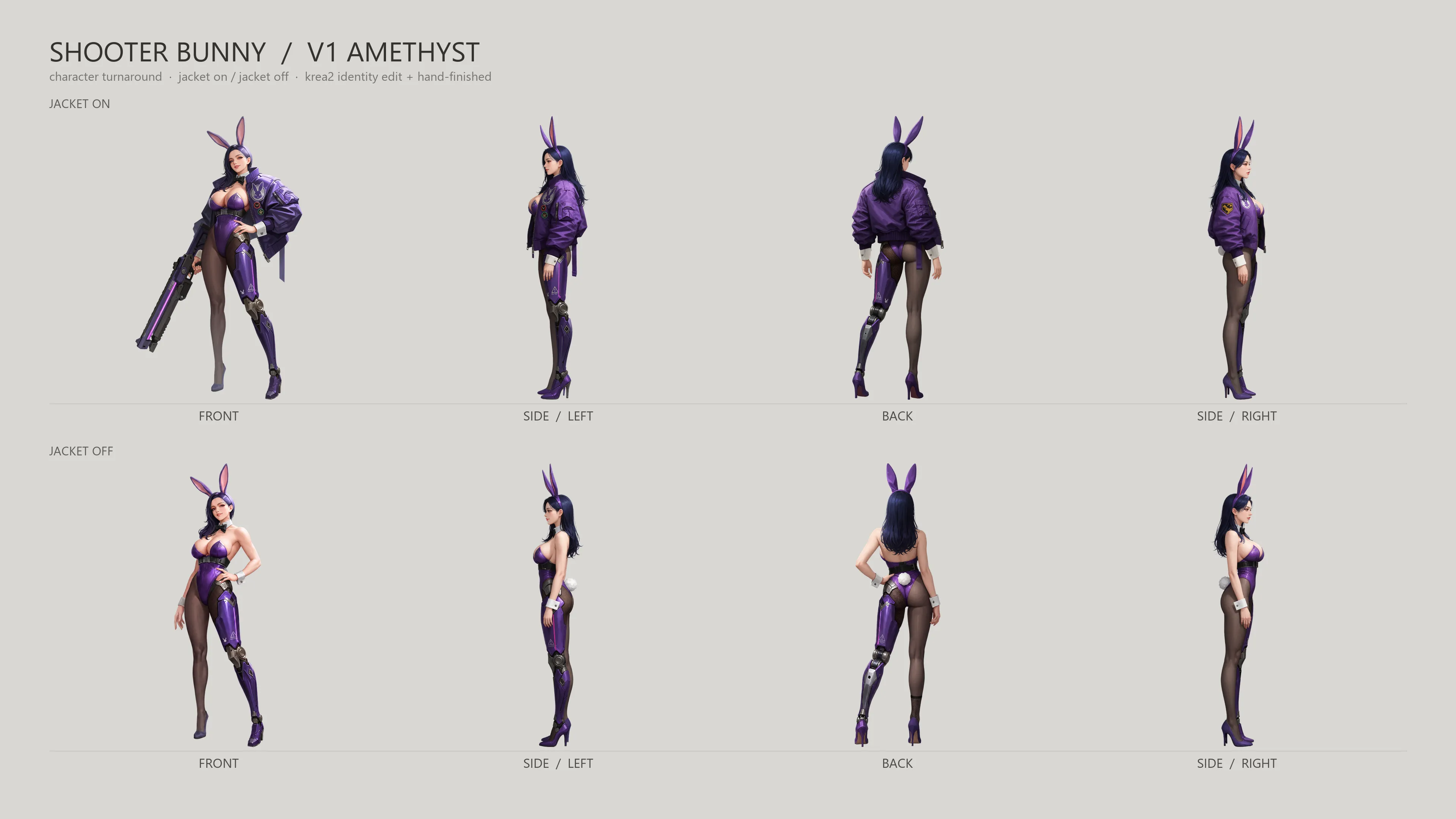
Two published works in the ART section came out of this pipeline: the Shooter Bunny Amethyst sheet — two outfit variants × four views on one deck, plus the weapon sheet from the Gunmaker — and the Triumphant Blade Dancer turnaround, the pipeline’s first full run. All local, zero paid calls.
Case Study Gunmaker: one queue, a full weapon sheet Drop in a single side view of a weapon — one queue returns six cameras and a finished presentation sheet. No style LoRA, no paid nodes. ▾
One image in — that is the whole workflow
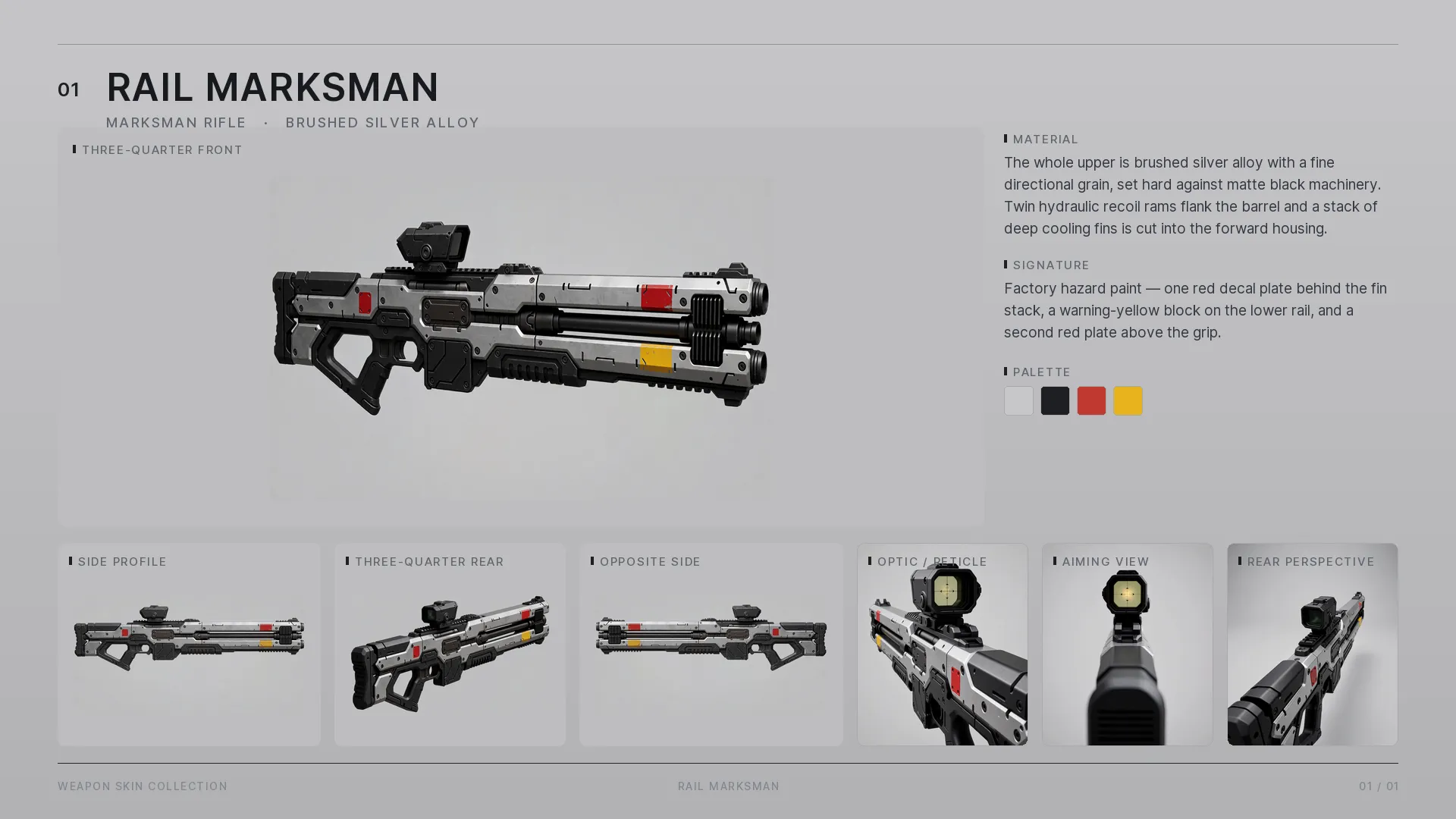
You give the graph exactly one image: a side view of the weapon. That is the entire input. One queue later you have the side profile, 3/4 front and rear, the opposite side, an optic close-up, the aim-down-sights shot — and the assembled product sheet. Same gun, same materials, same markings, across every camera, with no per-view prompting and no cleanup between angles.
One dial
Rotation is powered by a dedicated identity-preserving edit node: it anchors the weapon’s design while the camera moves — this is what makes true multi-view rotation possible at all. On top of it, a single reference-strength dial selects the operation:
| strength | operation |
|---|---|
| low | rotate to a new angle |
| mid | edit parts — mount an optic, clean up effects |
| high | lock a finished view |
Per-part colour blocking keeps an entire skin set consistent through every rotation.
Per-view camera scripts
Every view carries its own script: its camera position, its perspective, and its own list of exactly the parts that camera sees. The aim-down-sights view describes the stock and a mirror-symmetric frame; the product views describe the full silhouette. Each view renders precisely what it should — nothing leaks between cameras.
The graph
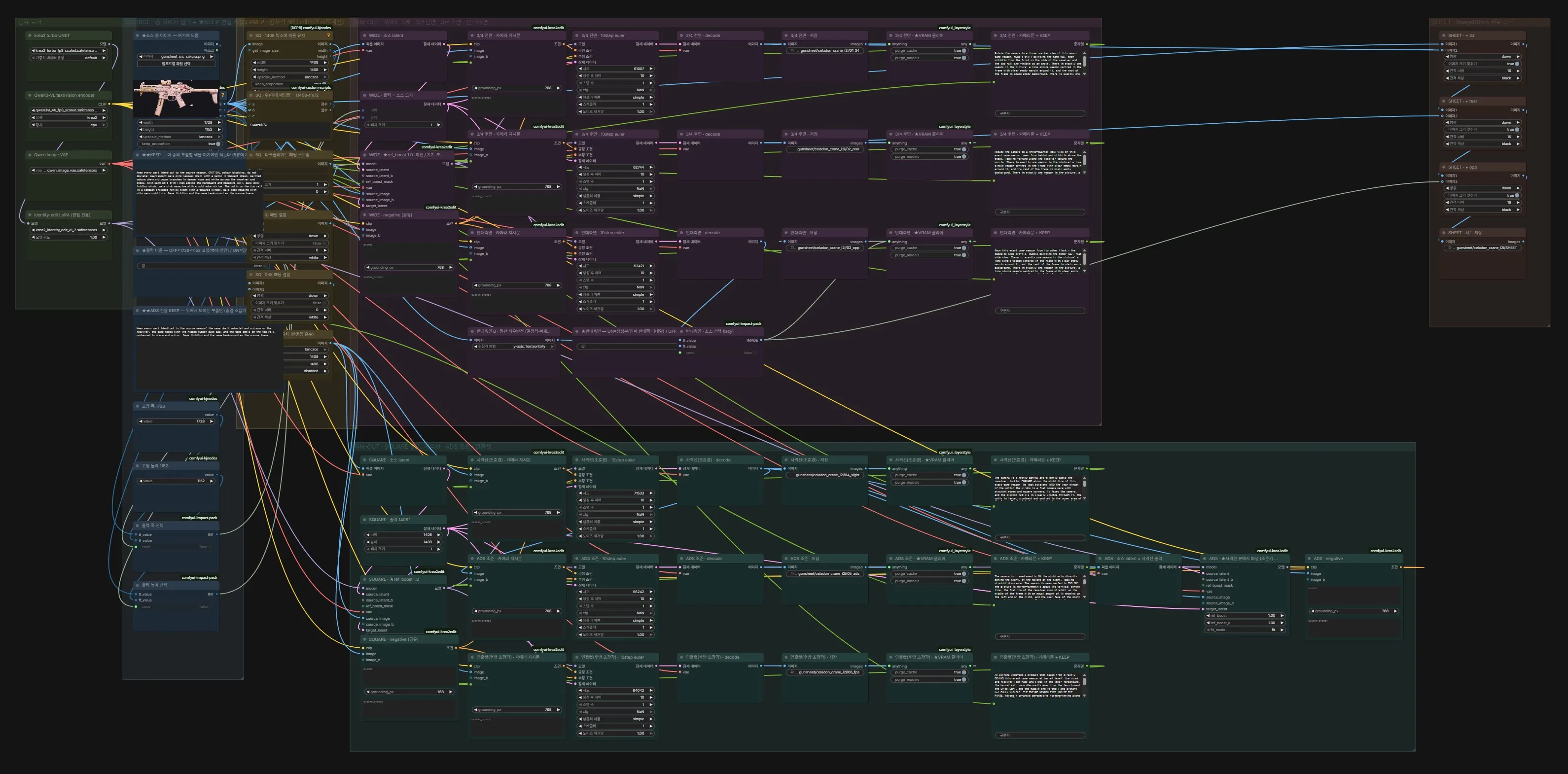
One fan-out graph: drop in any weapon image and it is encoded once, branched into every view, and stitched into the sheet at the end. Each view chains from the geometrically closest source image, so identity carries in pixels, not just words.
Result
Nine skins × up to seven views, assembled into a 10-page deck — published as Gunmaker Test in the ART section. Everything ran locally with no style LoRA — and not a single paid node or API call.