Tool
Look Detailer — canvas-to-ComfyUI repair skill
One command from a Photoshop lasso selection to a regenerated, pixel-aligned detail layer — a scripted bridge between the live canvas and ComfyUI.
- command from lasso to placed layer
- 1
- self-built detailer workflows, swapped by suffix
- 3
- paste-back alignment to selection
- ±1 px
- destructive edits — originals untouched
- 0
What it is
A scripted skill that runs against the live Photoshop session. The workflow from the artist’s side is two gestures: draw a rectangular lasso around the defect, invoke one command with a short brief (“chainmail”, “fix the hand”). Everything else is automated:
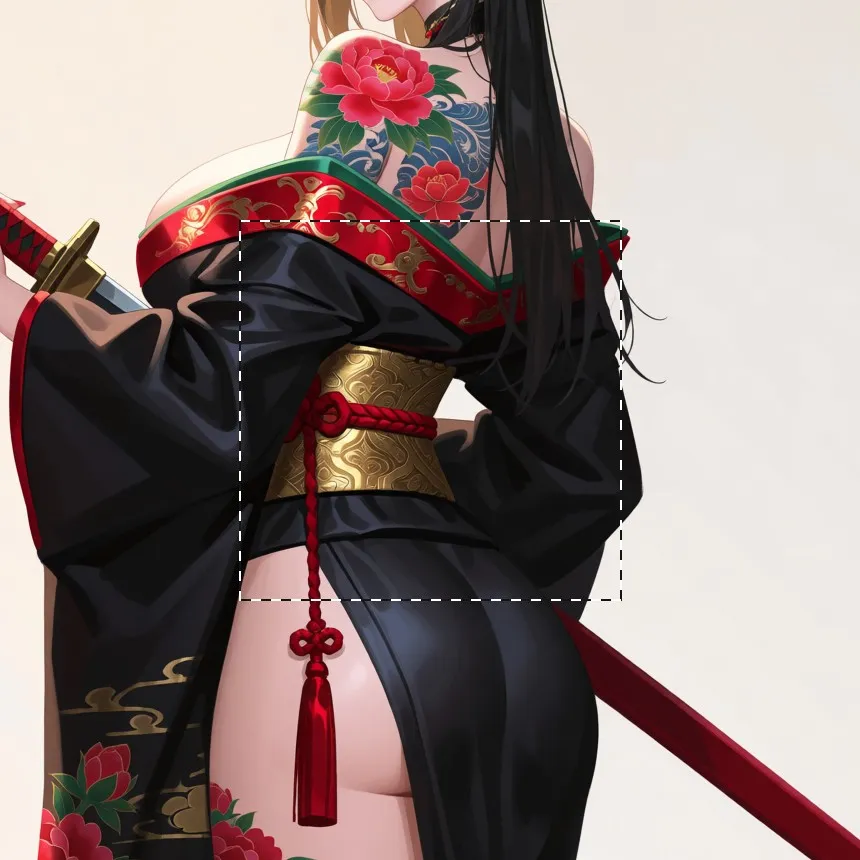
- Capture. The script reads the selection bounds from the open document via Photoshop scripting and saves a flattened composite — the original layers are never touched.
- Crop & route. The selected region is cropped, aspect-matched, and dispatched to a self-built detailer workflow on a local ComfyUI server — three interchangeable variants tuned for different repair jobs, picked by command suffix.
- Defect-focused prompting. Each run gets a written brief in a fixed grammar: name the defect, state the develop action, list what must be preserved, lock the painterly style. The model regenerates the patch supersampled at 2K.
- Pixel-aligned return. The result is resized back to the exact selection size and placed as a new smart-object layer at the selection’s position, corrected for DPI and rounding so it lands within a pixel of the source region.
The run from the selection above — a 380 px square around the obi, regenerated as a 1024² patch at denoise 0.30 with the same style LoRA the piece was made with. The brocade motifs and thread texture sharpen and the braided cord’s strands separate, while shape, colour and position stay put (left: selection, right: output):

WORKS USING THIS · 2