Case Study
Realism Generator: one dial from illustration to photoreal
Same design, same seed, same prompt — a single realism-strength dial moves a character from game illustration toward photoreal, so the art direction can pick the project's realism level side by side.
- dial — realism strength, nothing else changes
- 1
- illustration → photoreal, same seed
- 0 → +1.0
- typical sweet spot, set per character
- +0.4 – +0.7
- paid calls — fully local
- 0
One design, one dial
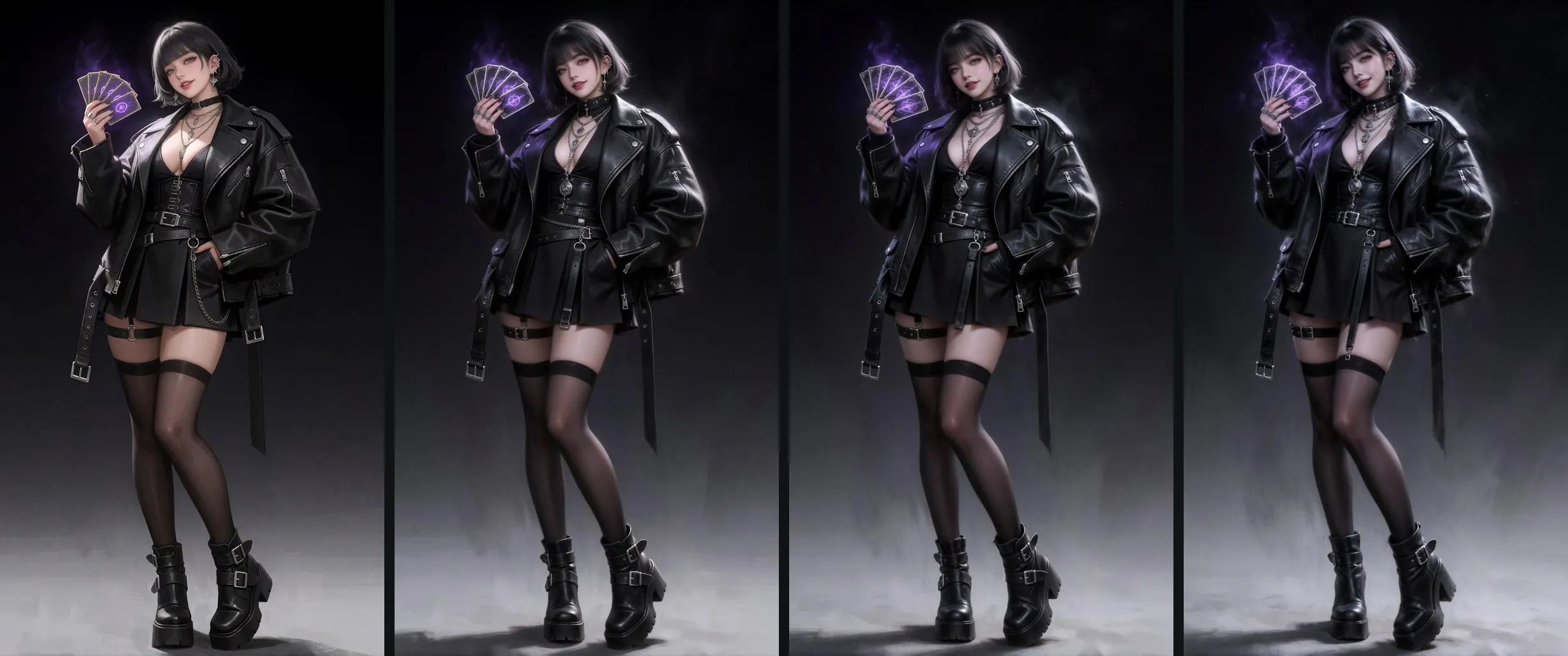
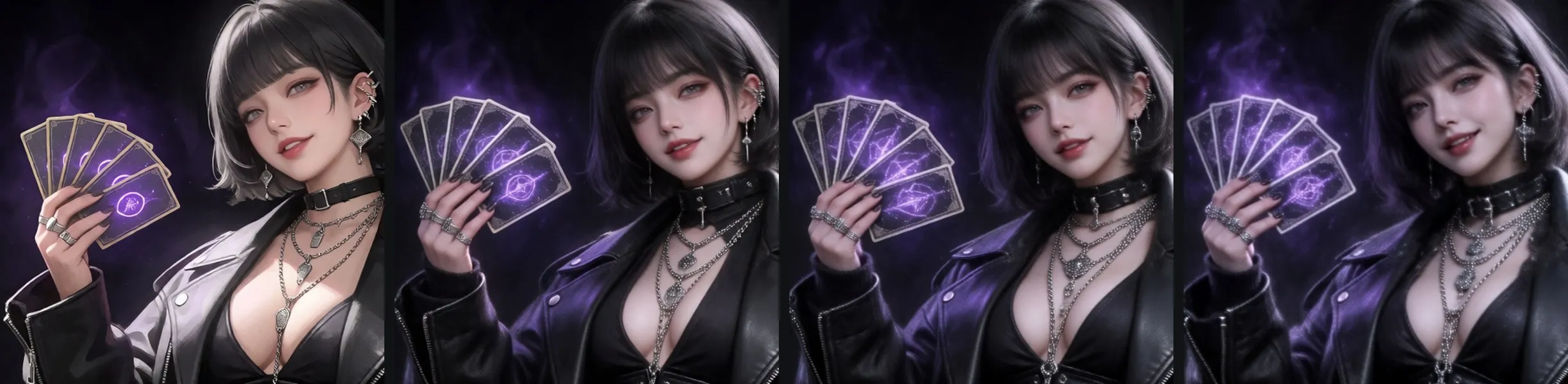
The usual way to make a concept “more realistic” is to rewrite the prompt — and the design drifts with it: a new face, new costume details, a different pose. This generator keeps everything fixed — prompt, seed, base model, self-trained style LoRAs — and exposes exactly one control: realism strength. Turning it produces a ladder of the same character, from the painted game-illustration look toward photographic skin and materials.
Where it shows
The difference is clearest in the face and the materials: skin texture, light falloff on leather, the weight of the metal hardware. Silhouette, costume and pose stay where they were.
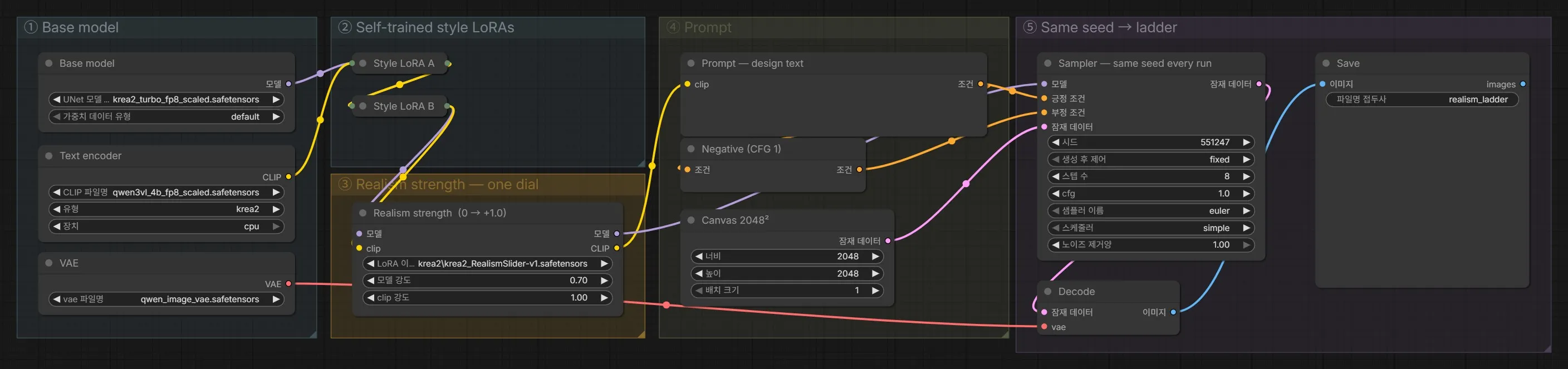
The graph
Base model → self-trained style LoRAs (collapsed here) → the realism-strength node → prompt → sampler on a fixed seed. The realism node is an open community realism-slider LoRA; the pipeline around it — the style stack it rides on, the fixed-seed ladder and the per-character calibration — is the part built here.